
Where PackOffice is different
Most booking software stops at the payment. These four are the jobs trainers tell us they still do by hand, and the ones PackOffice was built around.
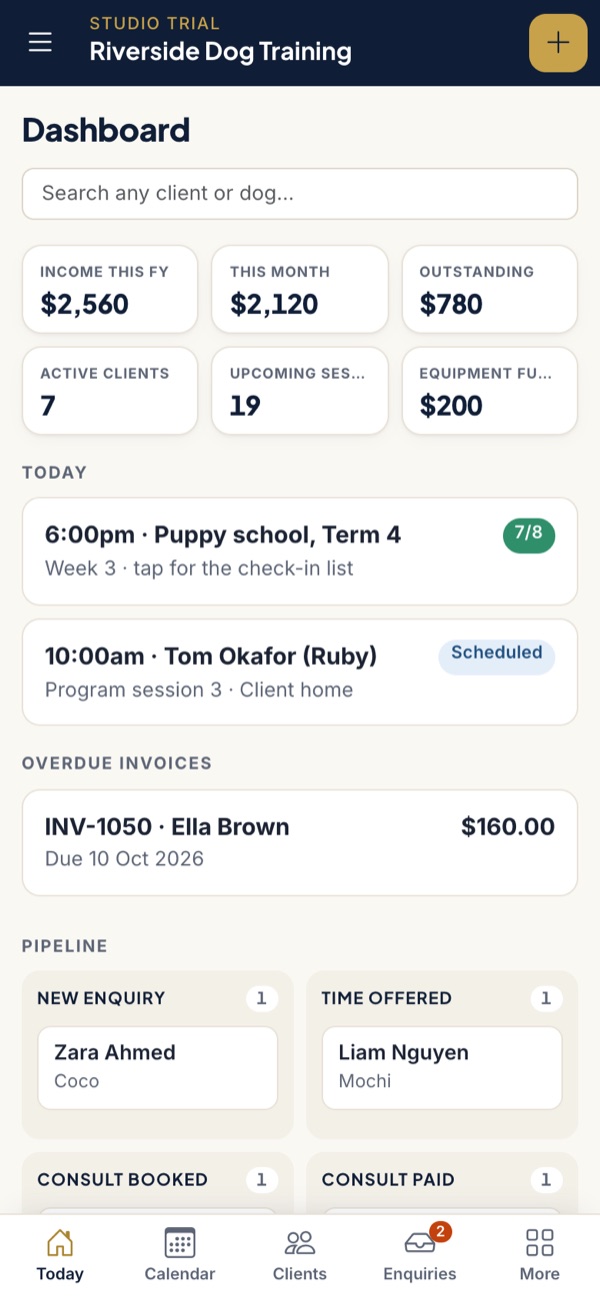
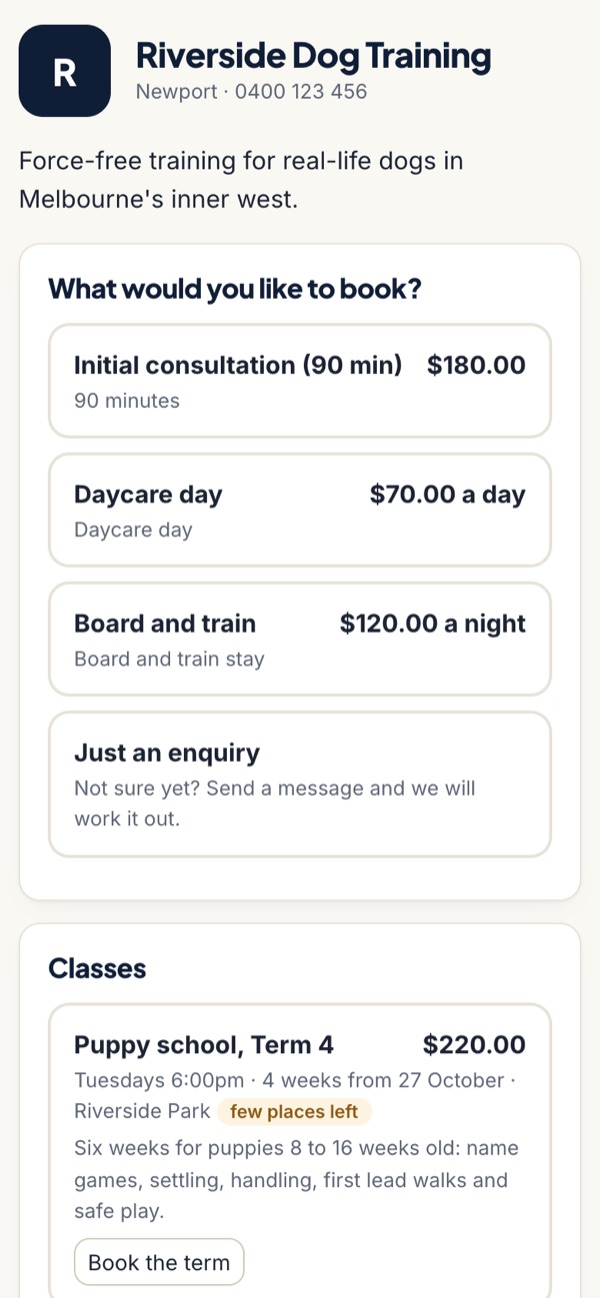
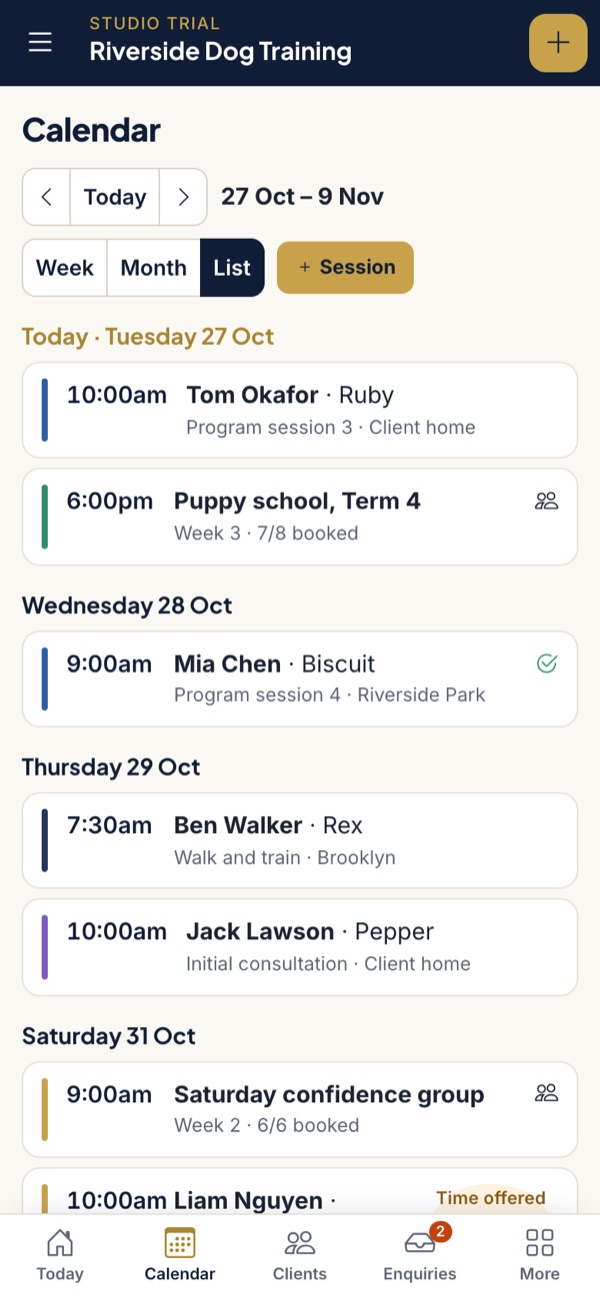
Bookings and clients
- Your own booking page and enquiry form, shared by link or added to your website with one line
- Each service is either self booking from your real availability, or request only so you offer the times
- Training sessions can be closed to new clients, so new people book a consult first
- Intake and enquiry forms you build yourself, with every answer landing in the client file
- A travel gap after each booking and travel fees by area for home visits
- Busy times from your Google, Apple or Outlook calendar block those slots
- Weekly repeating bookings, time off, and a waitlist for people who want a time you do not have
Messages and reminders
- Email confirmations and reminders from your practice name, with links to confirm or cancel
- Text reminders included: 100 a month on Solo, 300 on Studio, top-ups A$15 per 100
- Session notes and homework for the client, shown in their portal and ready to email with the after-session template
- Message a whole class by email or text when the weather turns or the venue changes
- Templates you can edit for every message PackOffice sends
Programs, packages and classes
- Programs and packages of any number of sessions, at any price, with a finish-by window
- "Session 3 of 6" on every booking, so you and the client always know where you are
- Payment plans of up to 12 instalments, with an optional admin fee on each instalment after the first
- Group classes sold by the term, as single weeks, or with class packs that expire when you choose
- Class size limits, a waitlist, and check-in by tick list or QR code
Money and books
- GST tax invoices with your ABN and logo, created from the booking, each with a pay link
- Card payments go into your own Stripe account at 2.5% + 30c all in. Bank transfers cost nothing
- A friendly reminder each week once an invoice is overdue, until it is paid
- Expenses with receipts, categories and GST, including ones learned from your bank statement
- Bank matching from CSV or OFX statements: transfers to invoices, Stripe payouts to the card payments inside them
- Income, expenses and GST by quarter (G1, 1A and 1B) for your BAS, with CSV exports for your accountant
- Equipment and stock: what you sell, what it cost, and when to reorder
What Studio adds
A login for each trainer, pay worked out per session, and a record of every pay run.
Booked by the day against the places you have, with vaccination checks, deposits and daily report cards.
Income by service and by trainer, no-show rates, package completion and where clients come from.
Your booking page on your own web address, plus webhooks and Make.com to connect other tools.
Coming soon
We only list a feature as available once it is built and tested. These are next, for founding trainers through early 2027:
- Memberships and session credits Soon
- Card on file, charged on the date you set, including payment plan instalments Soon
- Live bank feed on Studio, so statements arrive without uploading Soon
For the full list of what PackOffice does not do, see what we don't do. Plan prices and what each includes are on the pricing page.
Questions trainers ask
Does PackOffice work on my phone?
Yes. PackOffice is a web app that works in any phone browser, and you can add it to your home screen like any app. There is nothing to download from an app store, for you or your clients.
Can clients book themselves?
Yes. Turn on self booking for a service and clients choose from the times you are really free. For a behaviour consult or anything you want to discuss first, set the service to request only and offer times yourself.
Is everything included in Solo?
Solo includes bookings, forms, reminders, programs, payment plans, group classes, invoices, card payments, bank matching and the GST summary for one trainer. Studio adds team logins and pay, day training and board and train by capacity, 300 texts, full reports and integrations.
Do I still need Xero or QuickBooks?
Most solo trainers do not, because PackOffice issues the invoices, matches the bank and gives you the BAS figures. You may still want accounting software if you run payroll for employees or more than one business. Ask your accountant.
See it run a real day
Take the two-minute tour, or apply to be one of five founding trainers and keep today's prices for as long as you stay subscribed, with your clients imported for you.
Apply for founding accessTake the tour